Specialty Atlas 2.0: Rebuilt for Brewing, Exploring and Collecting
New recipes and Brewing Mode, Coffee Miles with 2.0 passport levels, ratings for every café visit and a map rebuilt from scratch.
On 17 September we released Specialty Atlas 2.0, the biggest update since the app launched. We rebuilt how you brew at home, how you rate the cafés you visit, how the map works and how your coffee passport fills up. If you have been with us since 1.x, a lot will look familiar, and almost all of it works a little differently now.
Most of it started with you. Since launch we have been reading your feedback on what the app should look like and what needed fixing. The small things went out in regular updates. The bigger ones needed a rebuild, and that rebuild is 2.0.
Here is what changed and where to find it.
2.0 at a glance
- Recipes, rebuilt: a new recipe builder and Brewing Mode, scaling to your dose, espresso dial-in, a brew journal and streaks.
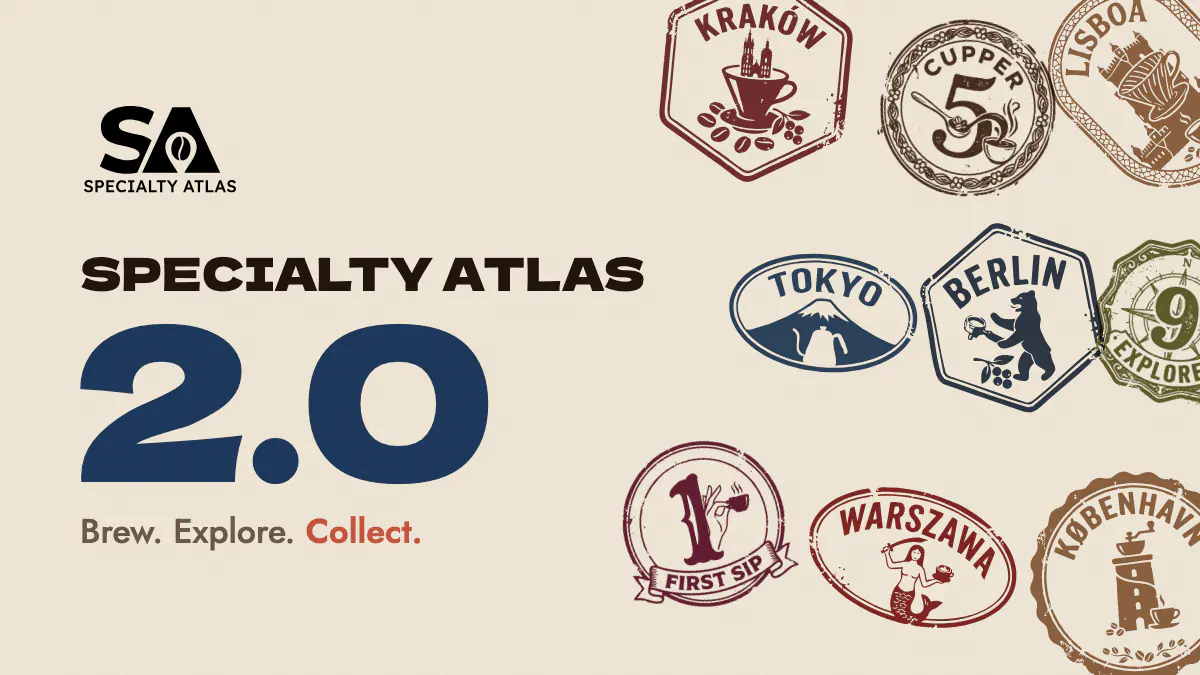
- Coffee Miles: points for real coffee moments, 20 levels and a passport stamp for every level.
- Visit ratings: you rate each visit to a café, not the café once.
- Coffee DNA: a new taste quiz and a bean-matching algorithm we wrote ourselves.
- Explore: the map, rebuilt from scratch, now with roasters and a calendar view.
- And more: Events 2.0, friends, browsing without an account, Wrapped, and a new look across the whole app.
Recipes, rebuilt
Brewing at home got the most work. The recipe builder now starts with the method: pick a V60, an AeroPress, an espresso machine or any other brewer, and the steps follow what that brewer actually needs. Brewing Mode then walks you through each step with a timer, so you can watch the kettle instead of the phone.
A few things we wanted for ourselves:
- Scale any recipe to your dose. The recipe says 15 g and you only have 12 g left? The water and the pours scale with it.
- Espresso dial-in. Log each shot, compare what you changed and save the best extraction to your journal.
- Brew journal. Every brew is saved with your notes, so next week you know why Tuesday's cup was better.
- Streaks. Brew something every day and the app keeps count. It is a nudge, not a guilt trip.
- Your gear. Save your grinders once and reuse them in every brew, clicks included.
- Visibility that fits. Keep a recipe private, share it with friends only, or publish it for everyone. A draft stays a draft until you save it.
The recipe library is split into For you, Official, Professional, Community, Friends and Mine, so the recipes from champions and roasters sit right next to the ones people brew at home.
Coffee Miles and Passport 2.0
Coffee Miles are the app's experience points, and you earn them for things that happen around coffee, never just for opening the app. At the moment a QR check-in at a café is worth 35 miles, rating that visit another 15, a finished brew 15 (up to four a day), your first stamp in a new city 100 and your first stamp in a new country 350.
Miles add up to levels. There are 20 of them, from First Sip to Virtuoso, and each one presses its own stamp into your passport, next to your city stamps. Badges are a separate collection, and a locked badge now shows how close you are, for example 3 / 10.
If you used Specialty Atlas before 2.0, you did not start from zero. Your past check-ins, ratings, stamps and badges were counted the day the update went live.
Rate the visit, not the café
In 1.x you rated a café once and that was it. But cafés change: a new barista, a new roaster on the bar, a quiet Tuesday morning against a packed Saturday. In 2.0 you rate every visit instead.
Scan the café's QR code, rate the visit from 1 to 5 and, after a good one, tap what stood out: the coffee, the service, the atmosphere, the calm. You still collect one stamp per café, however many times you come back. A café's score now reflects recent visits rather than an opinion from years ago, and the highlights other guests picked show up on its profile.
Your earlier ratings came along with the update.
Beans and Coffee DNA
The Lab has a new taste quiz and a matching algorithm we built in-house. It starts from your answers and keeps adjusting to what you actually do in the Lab: the beans you rate, save and pass on. Flavour notes you never want in your cup can be marked as dealbreakers. If you would rather browse without matching, switch Coffee DNA off and use the filters yourself.
The bean card is new too. It leads with how well a bean matches you, then the details, including bitterness and, for blends, every component instead of a single origin. You can rate beans from 1 to 5, and if the bean in your grinder is missing from the catalogue, you can add it yourself.
The map is now Explore
We rebuilt the map and gave it a new name. Zoom out and you will see the countries where you have stamps and the ones where the Atlas is live. Roasters have their own layer next to cafés and events, and cafés you have already stamped are marked, so somewhere new is easy to spot.
A view switcher moves between map, list and calendar. Hold it and you can drag it wherever your thumb prefers.
Want to visit, with a nudge
Save a café to your Want to visit list and the app lets you know when you are close, together with a reason to drop in: a bean on the bar that matches your taste, a new bean, an event today, or the note you left yourself. You can switch these alerts off in the notification settings.
Events 2.0
Cuppings, throwdowns and launches got more tools for the people who run them and more reasons to go:
- Some events come with an in-store deal, and you can filter the list to show only those.
- When an event is full, join the waiting list. If a spot opens up, you will get a notification.
- Recurring events, and events hosted together by several cafés and roasters.
- Times are shown in the right timezone, and a reminder comes before the start.
- Going? Share the event as a poster for your Story.
Friends
Show your profile QR code to a friend and they can send you a request on the spot. Once you are friends, the Friends tab in recipes shows what they publish, including the recipes they share with friends only.
Look around before you sign up
You no longer need an account to see what the app is about. As a guest you can browse the map with cafés, roasters and events, the beans and recipes in the Lab, and the coffee glossary. The app asks you to sign in only when you want to keep something: a saved place, a rating, a stamp.
A new look, with sound
Every screen got a new coat: redesigned cards for cafés, roasters, beans and events, smoother animations and a set of small sounds, including one for levelling up. If you prefer silence, switch the sounds off in settings.
Wrapped arrives in December
2.0 also brings Wrapped, a look back at your year in coffee, scored like a cupping and finished with a bag label you can share. It opens in December, so there is still time to add a few cities to the passport.
For cafés and roasters: Business panel 2.0
The Specialty Atlas Business panel was rebuilt alongside the app:
- It installs on your phone as its own app, with a bottom menu made for one-handed use behind the bar.
- A new Lite plan for cafés with a single location.
- The free plan now shows real analytics for the last seven days.
- Self-serve ads inside the app.
- Prices in PLN, EUR or USD.
- Staff accounts with permissions limited to what each person needs.
- Ratings and trends built on visits, so you see how this month went, not an all-time average.
Find out more at specialtyatlas.com/b2b.
How to get 2.0
Update Specialty Atlas in the App Store or Google Play, or download it for free on iOS and Android. If you are coming from 1.x, a short tour walks you through the changes the first time you open the app.
If you want to see the best of 2.0 in one afternoon, do three things:
- Take the taste quiz in the Lab.
- Brew one recipe in Brewing Mode.
- Check in at a café with its QR code, rate the visit and collect the stamp.
Then tell us what you think. Every bigger change in this update started as a message from someone using the app.
FAQ
What is new in Specialty Atlas 2.0?
Rebuilt recipes and Brewing Mode with scaling, espresso dial-in and a brew journal; Coffee Miles with 20 levels and level stamps in the passport; ratings for every café visit; a new Coffee DNA quiz and bean matching; a rebuilt map called Explore with roasters and a calendar view; Events 2.0, friends, guest browsing and Wrapped.
Is Specialty Atlas free?
Yes. The app is free on iOS and Android, and there is no paid plan for coffee drinkers.
Did I lose my ratings, stamps or badges when I updated?
No. Your earlier café ratings were carried over to the new visit ratings, and your stamps and badges stayed in your passport. Your past activity was also converted into Coffee Miles when 2.0 went live.
Where did Coffee Buddy go?
We removed it in 2.0 and plan to build it again from scratch. In the meantime you can add friends with a QR code and share recipes with them.
Can I use the app without an account?
Yes. You can browse the map, cafés, roasters, events, beans, recipes and the glossary as a guest. You need an account to save places, rate visits, collect stamps and earn Coffee Miles.
Written by
Specialty Atlas Team
The Specialty Atlas team writes about specialty coffee, the people brewing it, and the cities worth visiting for it.