





 Specialty Coffee in Košice: 15 Cafes Worth a Visit8 min read
 Specialty Atlas Is Now in Slovakia and Iceland: 290 Specialty Cafés and 71 City StampsProduct updates · 6 min read
Free · iOS and Android · 16 languages
Coffee brewing timer app with step-by-step recipes


How it works
Step 1
Pick a recipe for your brewer
Filter by method, brew time and author (champions, roasters, the community or your friends), or sort by what fits your beans and gear.
Step 2
Scale it and press start
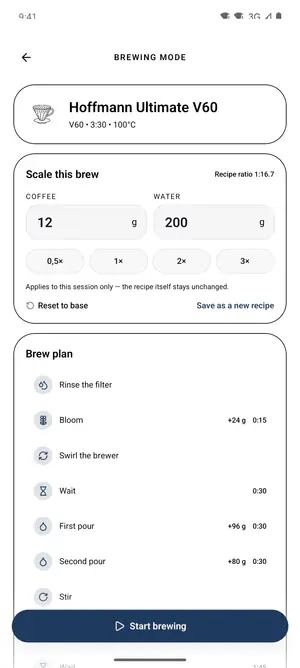
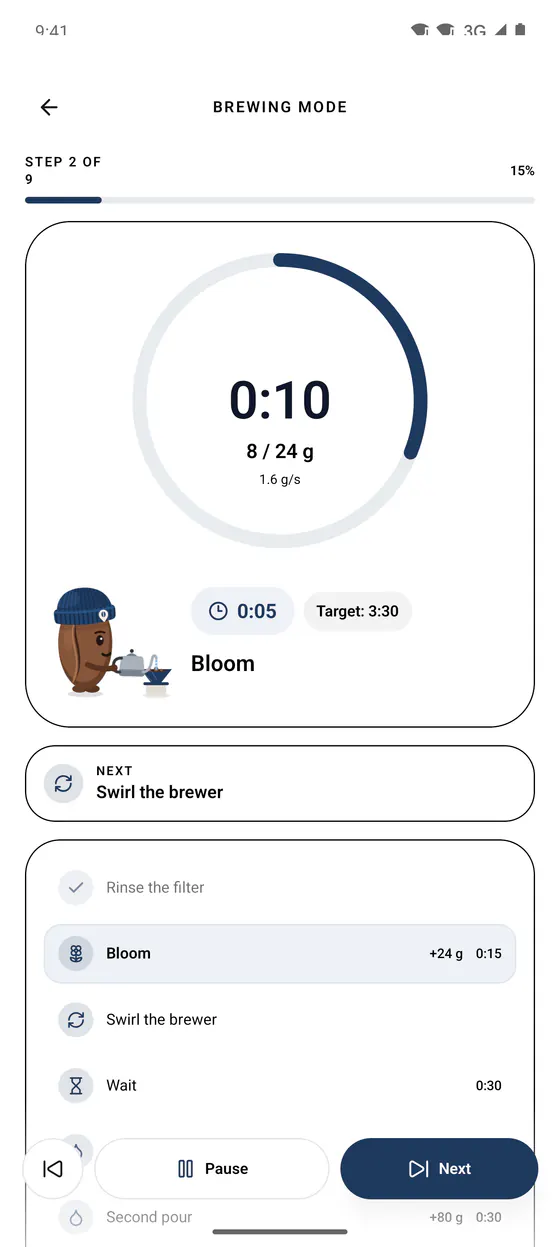
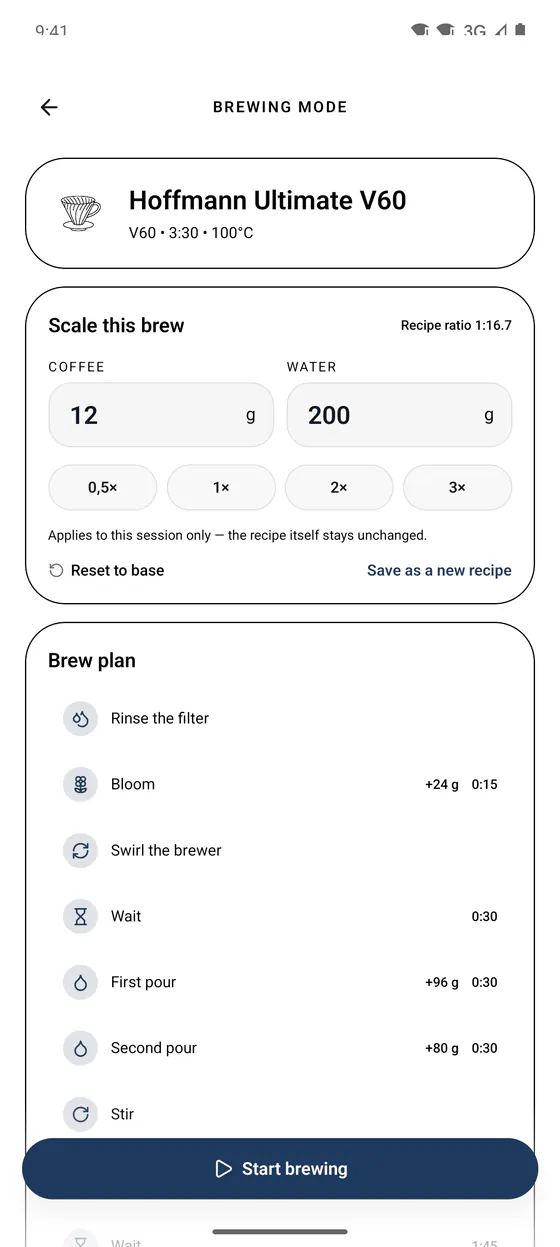
Set how much coffee and water you want this time; the recipe itself stays as it is. Then the app walks you through the bloom and each pour: it keeps time and shows how much water to pour and how fast.
Step 3
Log the cup
Rate the cup and note how it tasted. Every brew goes into your journal, and your streak counts the days you brew.
What you get
- Water targets, not just secondsAt every step you see how much water to pour, what the scale should read and how fast to pour.
- Espresso dial-inLog each shot (dose, yield, time, grind) and get the next adjustment: finer, coarser, more or less coffee. The best shot goes to your journal.
- Recipes from people who know coffeeRecipes from champions, roasters and Atlas editors next to the community's, plus the friends-only recipes your friends share with you.
- Build your ownMake a recipe step by step (bloom, pours, swirls, presses) and keep it private, share it with friends or publish it.
- A journal that remembers the bagEvery session keeps the bean, method, dose, water, time and your rating.
Browse the recipes first
The methods and recipes are on this website too. Pick a recipe here, then brew it step by step in the app.
How it compares
What the usual way does well, and where Specialty Atlas is different.
vs. a stopwatch
A stopwatch only counts seconds. The app knows what they are for: which step you are on, how much water to pour and what the total should be. If you want, it moves on to the next step when the time is up.
vs. notes on your phone
Notes work until you're hunting for last week's grind setting. The journal saves every brew with the recipe, bean, dose, water, time and your rating, and a scaled recipe can be saved as a new one.
Questions and answers
Which brewing methods does it cover?
Any method with a recipe. Public recipes in the atlas cover V60, AeroPress, Espresso, Clever Dripper, Cold Brew, Flavored Latte, French Press, Moka Pot and Latte. The steps follow the method: bloom, pours, swirls, stirs, presses and flips.
Can I scale a recipe to my dose?
Yes. Before you start, set the coffee, water, yield or servings, and the whole recipe scales with them. It applies to that brew only, and you can save the scaled version as a new recipe.
What does the espresso dial-in helper do?
It keeps each shot you pull (dose, yield, time, grind setting and how it tasted), compares it with the previous one and suggests the next change, like grinding a little finer when it's sour. The best shot goes to your journal.
Do I need an account?
Not to brew. Recipes and brewing mode work for guests too. A free account keeps your brew journal, your streak and your own recipes.
Brew your next cup with a guide
Free on iOS and Android, in 16 languages. Look around as a guest, and create an account when you want to keep something.

More in the app
One free account, six parts that work together.
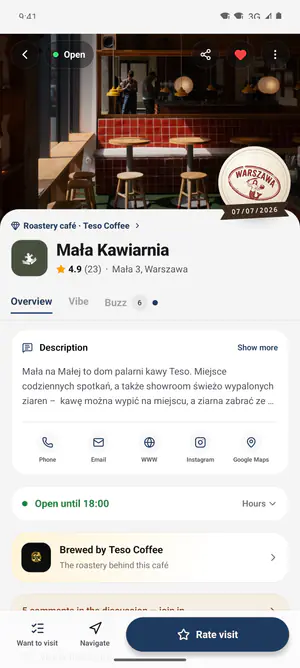
Café map
Only checked specialty cafés and roasters, with filters that turn a city into a shortlist.
More about the coffee map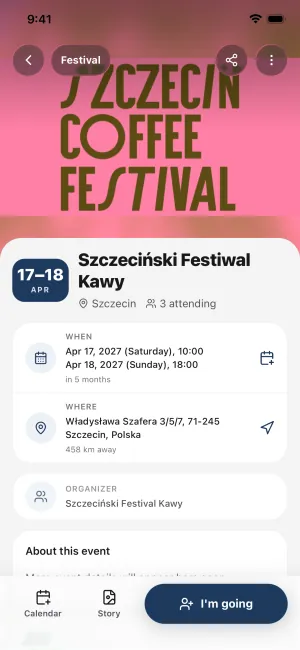
Event calendar
Cuppings, workshops and festivals on the map and in a calendar, with sign-ups and a reminder before they start.
More about the event calendar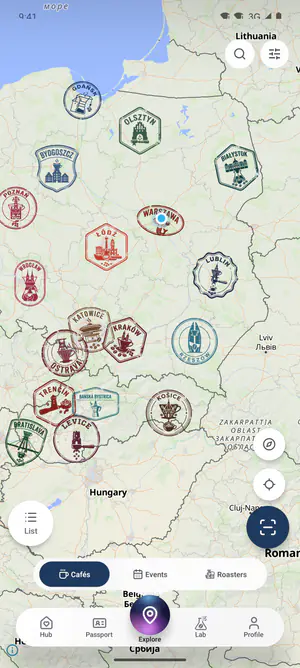
Coffee Passport
Café stamps, cities to complete and Coffee Miles for every visit. And Beanie celebrates every new stamp with you.
More about the Coffee Passport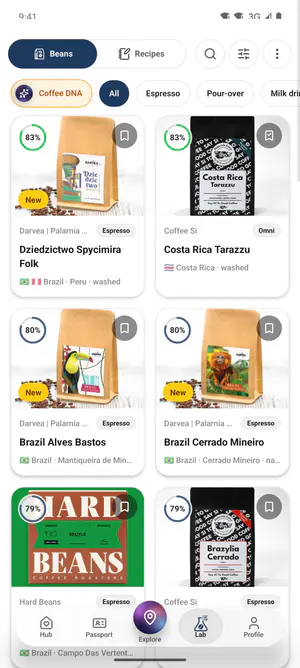
Beans for you
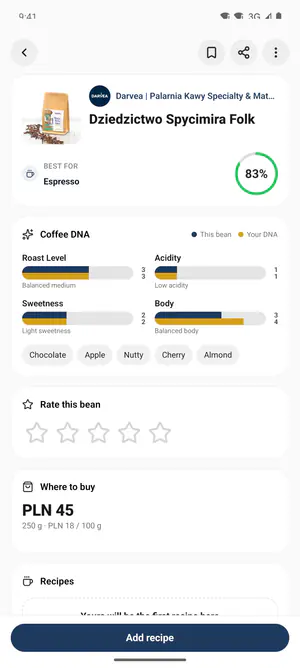
Six questions, then a match score on every bean. Plus a profile for every roaster, with its beans and recipes.
More about beans and roasters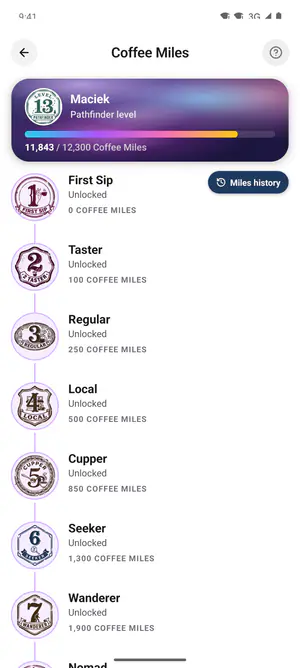
Coffee Miles
Miles for visits, brews and ratings, and 20 levels to climb.
More about Coffee Miles